listingvault.

THE CREATIVE COMMERCE WORKSPACE
Product listings.
One beautiful workspace.
Collect product inspiration, organize visual boards, build original listings, and keep your creative business moving.
✓ Save from supported product pages
✓ Build organized, visual collections
✓ Edit and export your own listings
BUILT FOR CURIOUS MINDS & INDEPENDENT SELLERS ✳



Your space. Your content.
YOUR WORKSPACE STARTS HERE
Welcome to your vault.
Sign in, create a workspace, or explore the interactive demo.
Have an invitation code?
Create your account with a valid code for free indefinite access. No card or subscription required.
US$5 weekly · US$20 monthly · US$100 one-time. Choose after signup.
New to Listing Vault?
or
Demo uses original fictional products. Imported content remains subject to source rights and restrictions.
A source-aware workspace for independent sellers.
A product listing workspace, not another spreadsheet
Bring product research, original listing drafts and permitted image files into one source-aware workspace. Listing Vault helps independent sellers prepare their catalog before publishing elsewhere.
Organize your library
Save supported product-page metadata, sort your listings and build visual collections. Keep source snapshots alongside the drafts you review.
Edit a whole selection
Apply shared changes to selected listings, record accurate ownership or licensed rights and remove unwanted image attachments before exporting.
Take the actual files
Download saved titles, descriptions, rights information and eligible stored images. Review ZIP readiness and collect every numbered part of a large export.
Imports are best-effort and source restrictions apply. A rights declaration does not transfer copyright. Your private listings and uploads are not public search pages.
Compare access plansFrom public catalog to organized library
See the exact scan-and-save flow: open the importer, enter a website you are permitted to scan, review the returned cards, then verify the saved batch in All listings.
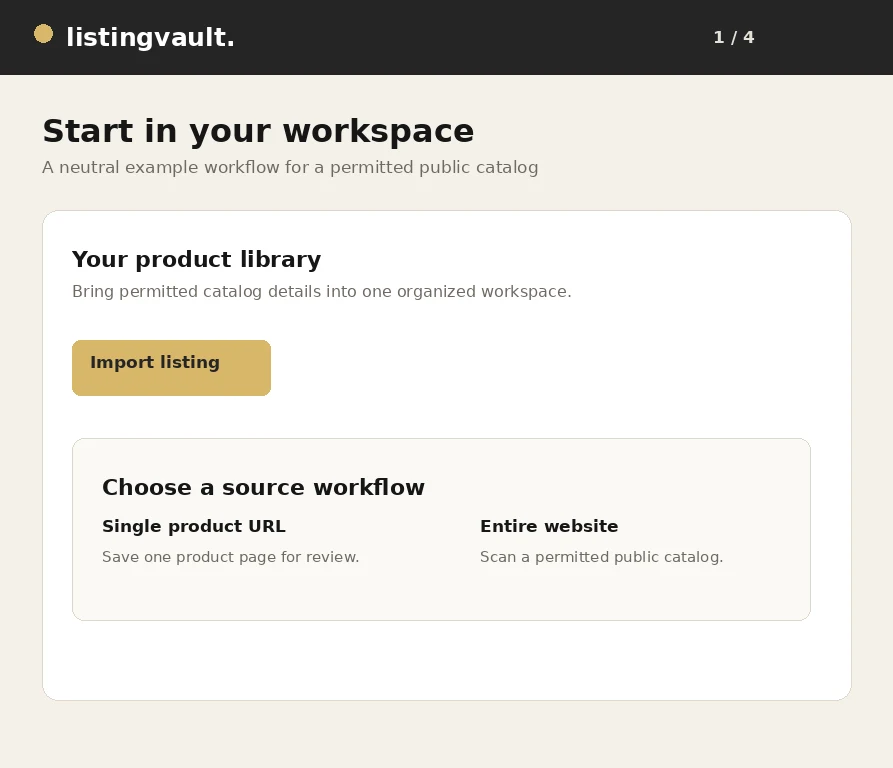
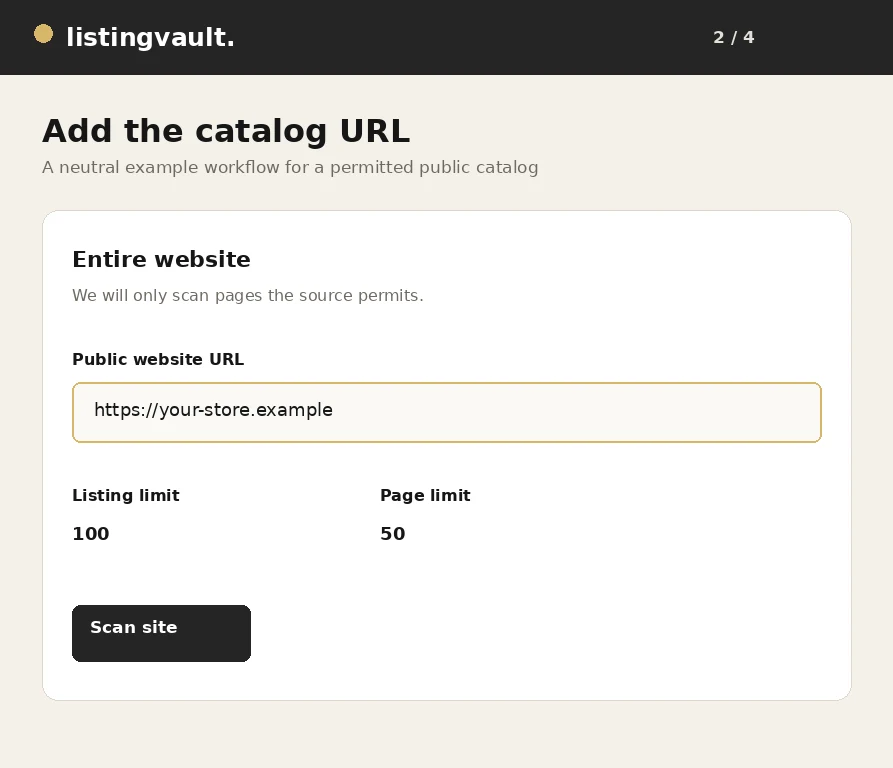
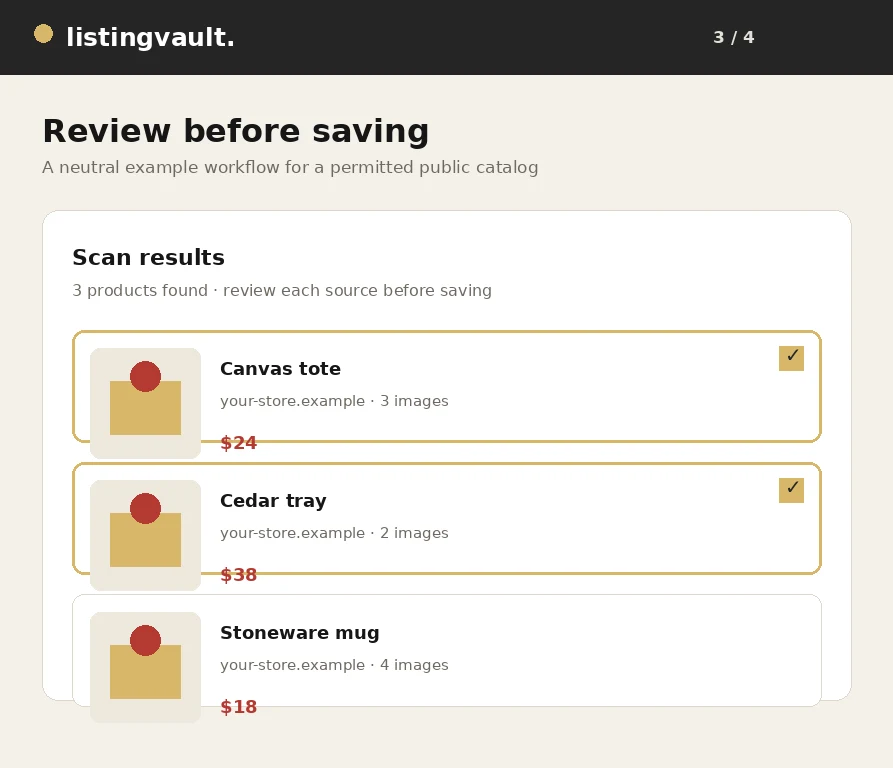
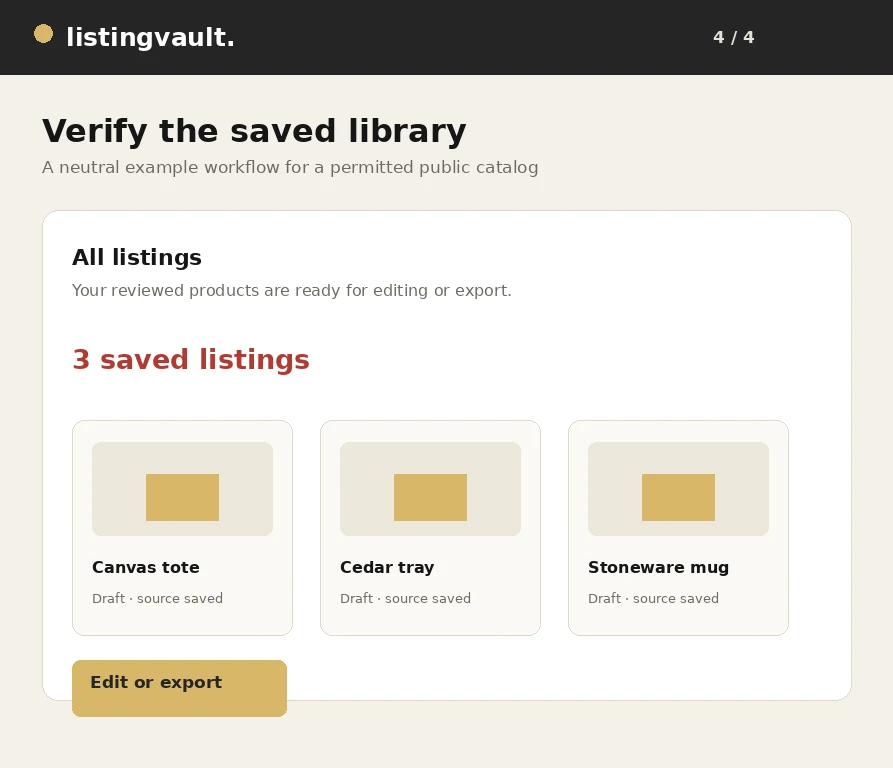
Use the scanner only with websites and content you are permitted to access and use. Read the full walkthrough
Practical guides for a better catalog
Clear workflows for research, rights-aware preparation and image-inclusive downloads.
Catalog organization
How to organize product listings without losing context
A practical workflow for turning saved product inspiration into a searchable, source-aware listing library.
Read the guideExport workflow
How to bulk export listings with their image files
From selection to a portable ZIP: review your content rights and carry the actual retained image files with your listing text.
Read the guideTroubleshooting
Why images are missing from a listing ZIP—and what to check
Check storage, permissions, failed source requests and numbered package parts before retrying a large image export.
Read the guideWorkflow walkthrough
How to scan and save listings from a website
A visual walkthrough of scanning a public catalog, reviewing products and saving the selected listing batch.
Read the guideImport workflow
How to import product listings from any permitted website
A practical guide to importing product titles, descriptions and image references from a website you are permitted to scan.
Read the guideExport workflow
How to download product listings with images in bulk
A step-by-step export workflow for carrying selected listing text and eligible stored images into a complete portable package.
Read the guideImport quality
How to avoid duplicate products when importing listings
Practical ways to keep a product library distinct when scanning pages, resuming jobs or importing the same source more than once.
Read the guideCatalog editing
How to organize product titles, descriptions and images
A practical editing system for making product titles, descriptions and image selections easier to review and export.
Read the guideChannel preparation
How to prepare product listings for Pinterest
A rights-aware checklist for preparing listing text, images and destination URLs before saving products for Pinterest.
Read the guideRights-aware workflow
How to review image rights before reusing product photos
A practical image review that separates technical access, ownership, licensing and channel permission before reuse.
Read the guideCatalog building
How to create a product catalog from a website
A repeatable method for moving from a public source website to a useful product catalog without treating a scan as automatic publication.
Read the guideSeller operations
Listing management for independent sellers: a practical guide
A practical operating system for independent sellers who need product research, listing drafts and export packages to stay understandable.
Read the guideFrequently asked questions
What is Listing Vault?
Listing Vault is a product listing workspace for independent sellers. Organize research into collections, edit listing titles and descriptions, manage images and prepare portable exports. It is not a marketplace and does not automatically publish products to a sales channel.
How much does access cost?
All prices are in USD: $5 per week, $20 per month or $100 for one-time full access. Weekly and monthly subscriptions automatically renew until canceled. The one-time plan has no recurring charge. Taxes, if applicable, are shown at checkout.
Do I create an account before paying?
Yes. Choose a plan, create an account or sign in, review the selected plan and continue to Stripe. Your chosen plan is retained through signup. Signup alone does not charge a card, and demo identities cannot create a payment checkout.
Can I try the workspace before purchasing?
The read-only demo uses original fictional products to show the workspace. It does not provide a free account for saving your own work. Select a plan and create a real account when you want to save your own listings.
CONTACT & SUPPORT
Contact supportA question about your vault?
For account, billing or image-export help, email listingvaultsupport@gmail.com. Never send passwords, card details or private keys.